

A few years ago, a “self-made” website usually meant “simple.” Clean, but limited.
Today, vibe coding changes the equation. With AI-assisted building, you can iterate on UX, copy, and design details that used to be a luxury.
I’m currently looking for a new role and am open to contracting opportunities, so I decided to revamp my site end-to-end using the available AI tools.
One decision unlocked a lot of leverage: I already had a Notion database with my background, projects, and writing. Instead of publishing it as static pages, I built a live, publicly-facing AI agent on top of it.
And because I already had a WebSockets foundation from building real-time Connect-4 games (here: https://juancavallotti.com/lab), I could move quickly: Cursor, along with the rest of my toolchain, made it surprisingly straightforward to ship a first version.
The need: “Don’t just read my CV, interact with it.”
- The problem: With 25+ years of professional experience, it’s genuinely hard to compress my background into a few bullet points. I’ve explored a wide spectrum of roles and problem spaces, and I’ve tried to avoid getting boxed into a single label. A CV is compressed text, so it’s easy to misinterpret and hard to validate.
- What I wanted instead: A way for recruiters and potential business partners to understand my profile quickly and ask follow-up questions in their own words.
- The idea: Turn my background into a live interface. Not a PDF. Not a static page.
- The bar: Provide proof-of-work signals through an experience that feels closer to a product than a document. What says more “I can build agentic architectures” than a real, working agent in a high‑stakes environment? If it does a bad job, people won’t read more — they’ll just walk away.
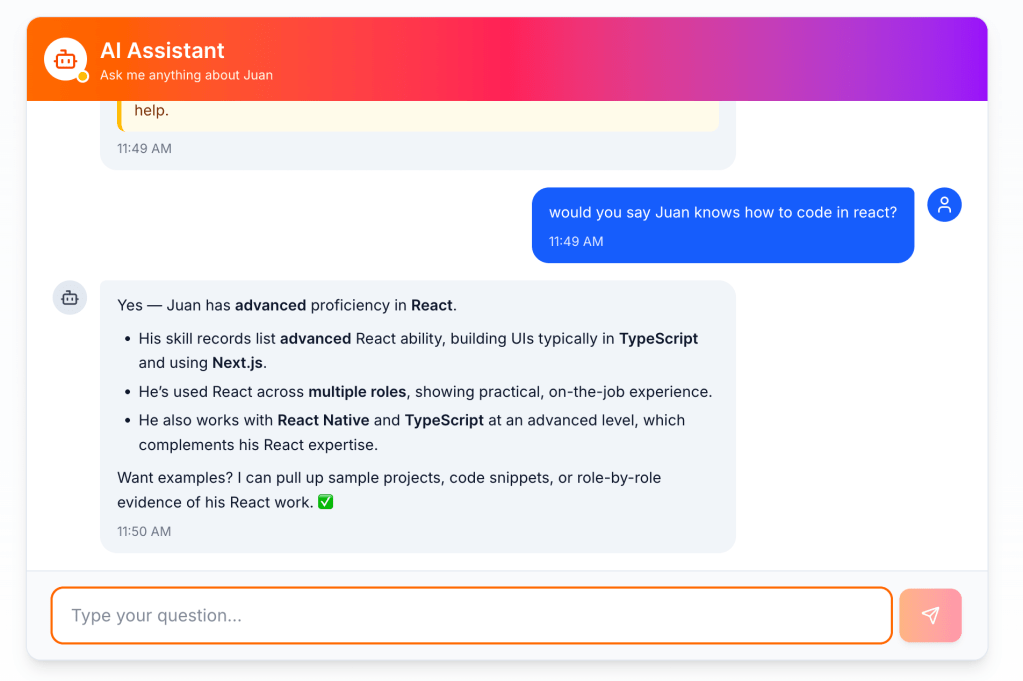
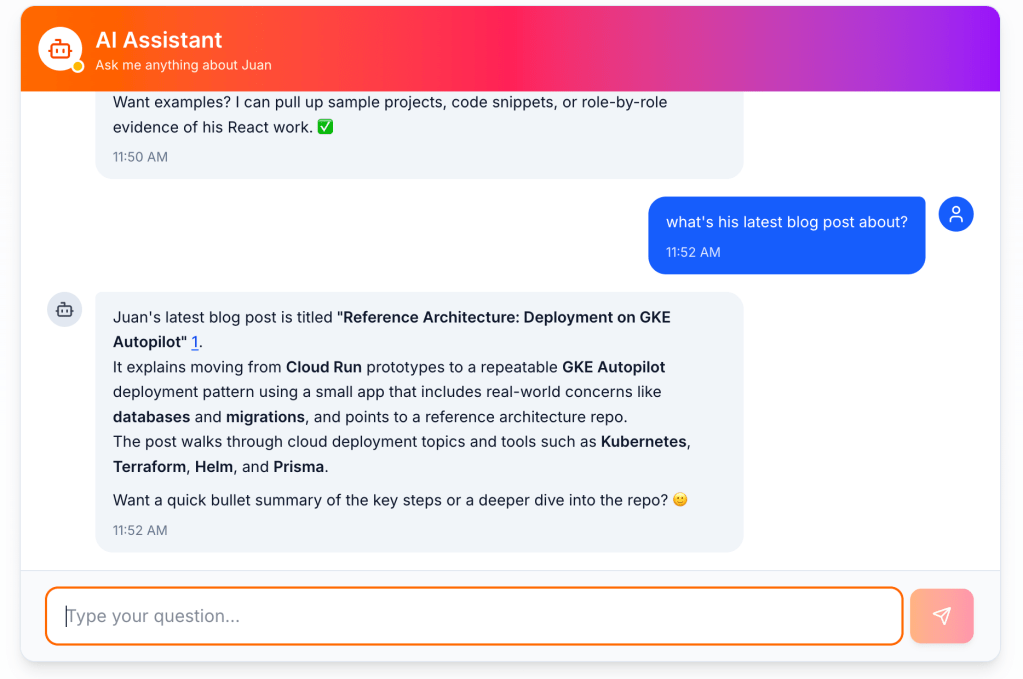
The approach: an AI agent as the front door to my work
- I keep my background, projects, and writing in Notion.
- Instead of “publishing pages,” I put an agent in front of that source of truth.
- The goal: answer questions with context, and point to concrete examples.
- More broadly, I wanted to:
- Make my writing easier to navigate
- Make my projects more visible
- Capture leads (contact info) along the way
- Keep it fun for visitors
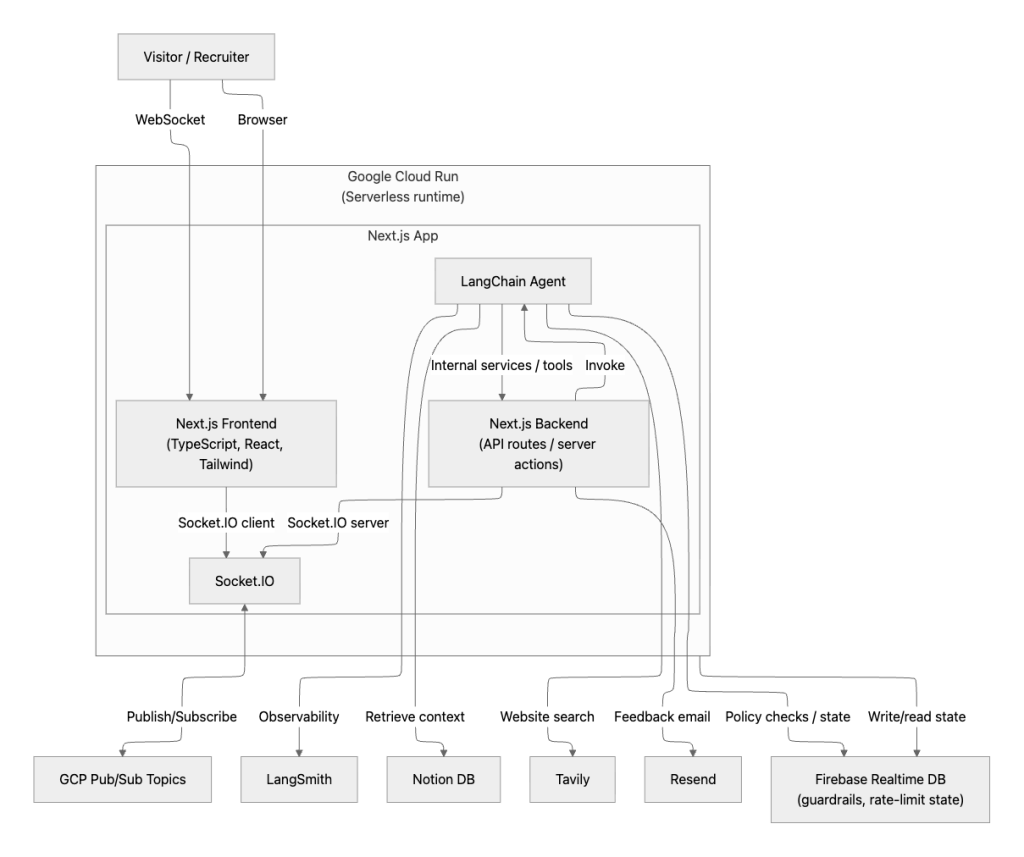
System architecture (friendly version)
Here’s the friendly map of the system:
- Source of truth: Notion DB
- UI: Next.js (TypeScript + React) + Tailwind
- Realtime: Socket.IO (WebSockets)
- Agent framework: LangChain
- Observability: LangSmith traces
- Why traces mattered: In dev, LangSmith traces were my “debugger” for agent behavior. They let me test tools in isolation, inspect the exact call chain, and verify the agent was doing the right thing for the right reasons.
- Iteration loop: Trace data helped me spot failure modes, refine prompts, and tighten tool contracts until the system felt reliable.
- Security + distributed state: Firebase Realtime DB (guardrails + rate-limit state)
- Serverless runtime: Google Cloud Run
- CI/CD: Google Cloud Build
- Eventing: in-memory events for fast local flows, plus GCP Pub/Sub for durable async work
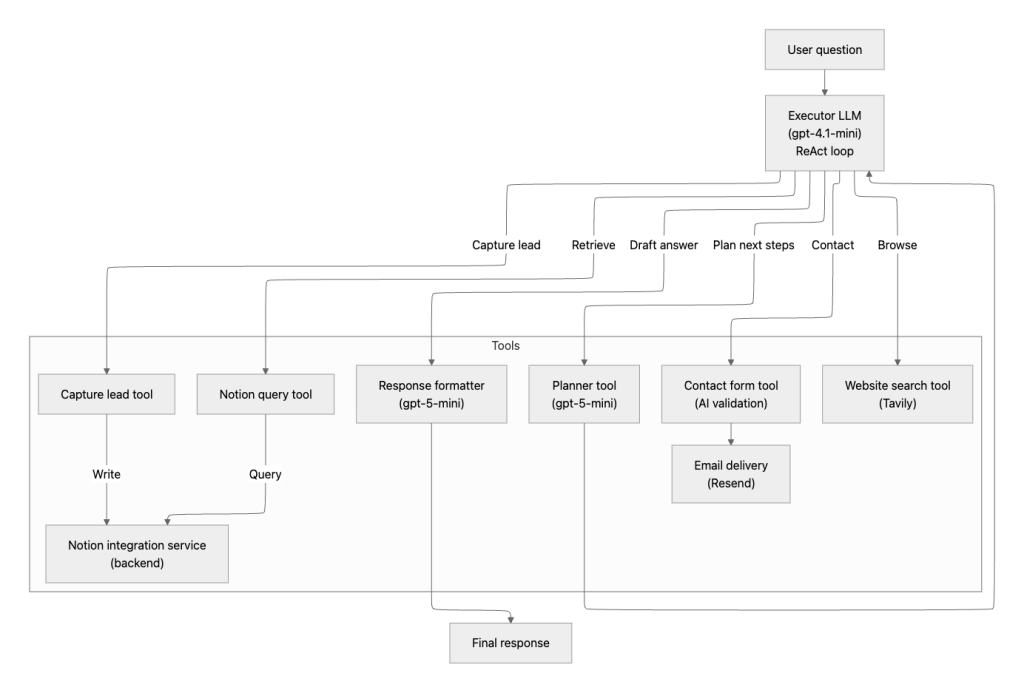
Agentic architecture (how the agent thinks)
I split the agent into a fast execution loop, a stronger planner, and a final “voice + formatting” pass.
- Executor (ReAct loop): OpenAI gpt-4.1-mini
- Chosen for speed and reliable tool calling.
- Planner tool: OpenAI gpt-5-mini
- Chosen for higher-level reasoning about what to do next.
- Tools:
- Notion query tool: slice-and-dice access to my Notion DBs
- Website search: Tavily (for questions that require checking my public sites)
- Contact form tool: integrates with my site’s contact form
- Includes AI validation
- Sends emails via Resend
- Response formatter: OpenAI gpt-5-mini
- Applies personality + user-facing copy rules
Challenges I ran into
- Keeping the agent on point: Lots of prompt iteration to reduce “creative detours” and keep answers relevant.
- Tool reliability: When a tool returns partial or surprising output, the agent can go off-track. LangSmith traces made this debuggable.
- Guardrails against confident nonsense: The agent needs permission to say “I don’t know,” and constraints that push it to stay grounded.
- Public-facing stakes: When the agent is the interface, one bad answer can end the session.
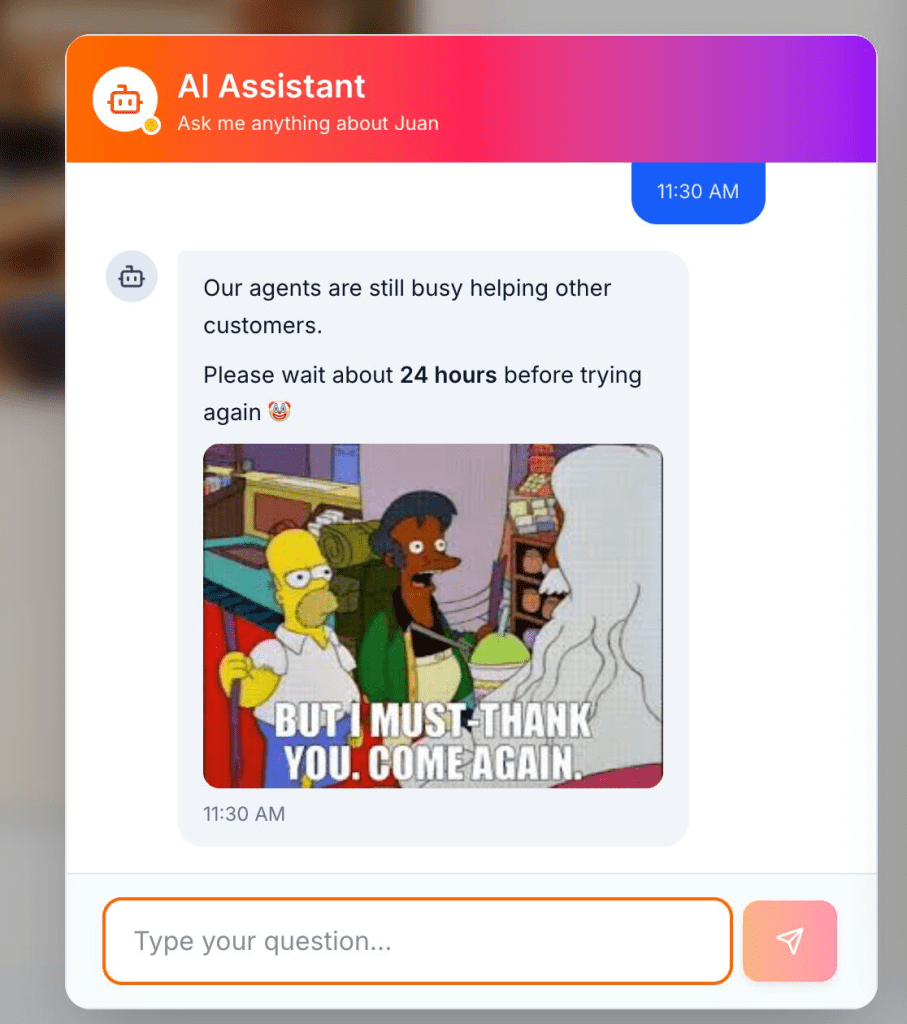
- Cost and abuse resistance: Tokens cost money. I couldn’t leave an agent open on the internet, “giving tokens away” to anyone.
How I hardened it (what I actually implemented)
- Curated access/allowlists (agent + Notion):
- Agent-side: restrict what can be revealed.
- Notion-side: tighten permissions so only the right pages are readable, and write access is limited to the pages the agent should actually modify.
- Grounding and “no bluffing” rules: Stay scoped to retrieved context. Say “I don’t know” when you cannot justify an answer.
- Clear tool contracts: Predictable, structured outputs reduce weird reasoning paths.
- Rate limiting + quotas (protect tokens + premium tools):
- Per-user and per-IP caps, including max messages per IP per day.
- Quotas so one visitor cannot burn the model budget or exhaust premium tool calls (like Tavily).
- Firebase Realtime DB to persist and distribute rate-limit state across Cloud Run container spin-ups.
- Notifications for budgets and quotas: Alerts when spend or utilization crosses thresholds.
- Traffic + infra monitoring: Notifications for key metrics, including traffic spikes.
- Analytics: Google Analytics to learn what visitors actually try.
- Logging with redaction: Enough metadata to debug issues without storing sensitive content unnecessarily.
If this were a higher-stakes production system handling costly transactions, I’d harden it further by adding datasets plus automated regression testing (an eval suite) to catch failures before they reach users.
Closing thoughts
Building an agent people want to talk to is the fun part.
Making it safe, observable, and sustainable in the open is the real work.
The best proof-of-work isn’t a line on a CV. It’s a system that holds up when real people use it.
Call to action
- Try the agent: https://juancavallotti.com/ai-assistant
- If you’re hiring or want to collaborate on AI products and infrastructure, reach out: contact info/link
 Juan Alberto López Cavallotti
Leave a comment