
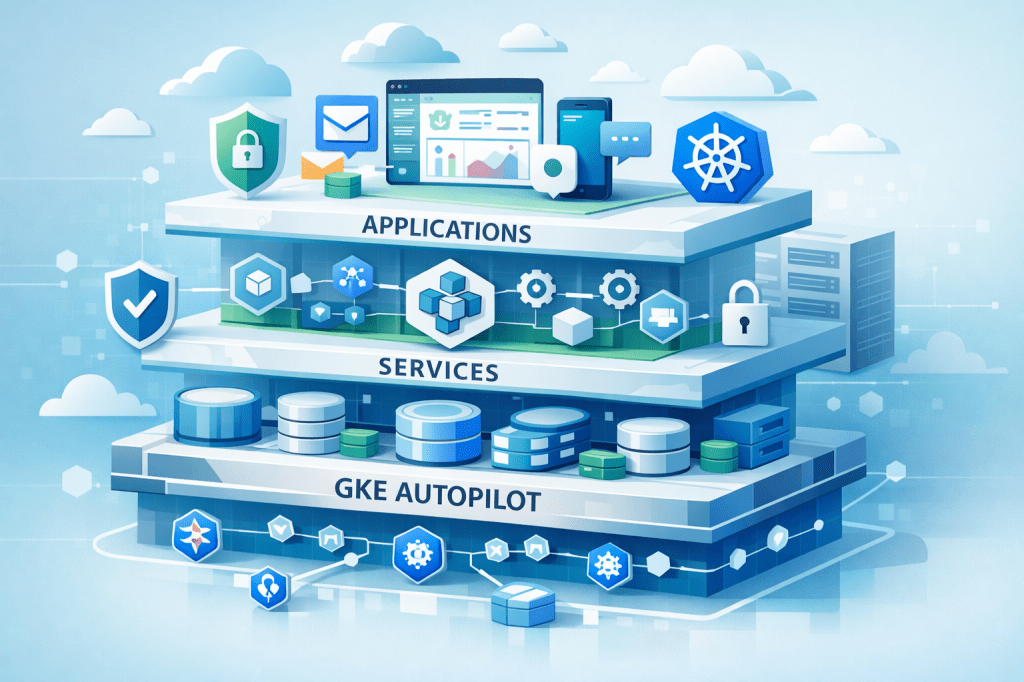
Repo: https://github.com/juancavallotti/k8s-gcp-reference-architecture
I have spent the last 4 years mostly building prototypes and MVPs for various initiatives, so most of my day-to-day focus within Google Cloud Platform has been on Google Cloud Run.
Cloud Run is fantastic for moving fast, but it has some challenges when you want to introduce extra security controls, eliminate cold-start warmup times, or have more control over URL-to-service mappings. For me, that “next level” is Google Kubernetes Engine (GKE) Autopilot.
To learn (and to have something concrete to reuse later), I built a very small app that still captures some of the challenges you run into in real projects:
- Isolating local development environments from cloud deployments
- Evolving from convenient prototyping tools to more robust production infrastructure
- Managing database schema changes and migrations across environments
Alongside the app, I also put together a reference architecture to run it on GKE Autopilot. The goal of this post is to give you an overview of the project and the approach, and then point you to the repository for the full details and the latest updates.
What you will find in this post
This post is split into three sections:
- The app: what it does and why it is a good “toy project” for real-life deployment concerns.
- The infrastructure: the GCP pieces around the cluster and how they fit together.
- The cluster: how I structured the Kubernetes deployment, using both Kustomize and Helm.
Each section is intentionally high-level so you can get the main ideas quickly. If you want to go deeper, I have documented additional details in the repository, and I will link to the relevant documents as we go.
Deep dive links (from the repo):
A) The app
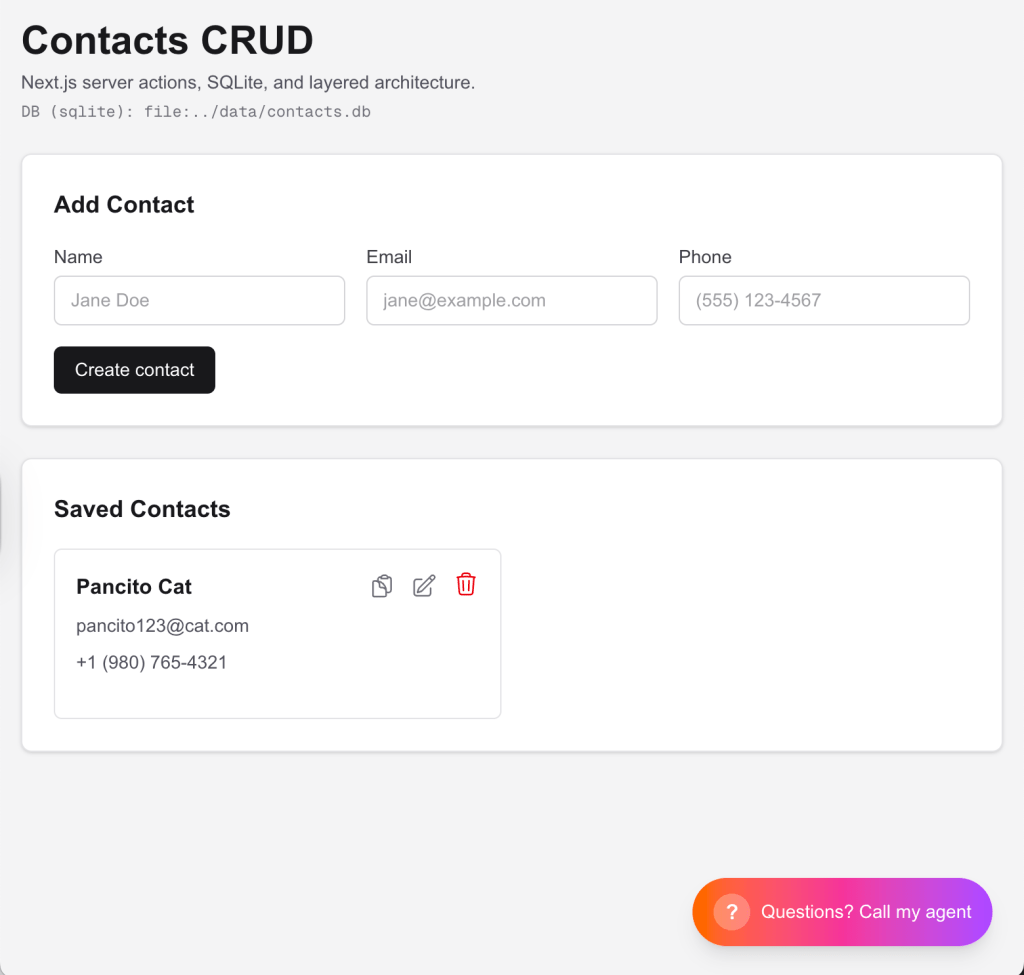
The sample application is intentionally simple: a CRUD contacts app.
On purpose, the product is boring. What matters is that it forces you to deal with the same classes of problems you hit in real deployments: databases, schema evolution, and environment differences.
What it models
A Contact has a few basic fields (name, phone, email), and the app supports the usual create, read, update, and delete flows.
Architecture (3 layers)
Even though it is small, the app is structured as a three-layer architecture:
- Presentation: a React UI (Next.js) with Server Actions for the CRUD flows.
- Service/application layer: the “business” layer that orchestrates use cases and keeps the UI thin.
- Repository (persistence): a repository-style data-access layer (in the spirit of Martin Fowler’s “Repository” pattern) using Prisma as the ORM.
A playground for schema changes
If you want, you can play with it by adding fields to the Contact model and using Prisma Migrate to create and apply migrations:
- Prisma Migrate docs: https://www.prisma.io/docs/orm/prisma-migrate
This is a great way to make the rest of the post feel real: once migrations are involved, deployment details stop being hypothetical.
Making changes without breaking the architecture
I also included Cursor rules/skills in the project so you can iterate quickly (add a field, change a flow, introduce a new use case) while still respecting the intended initial architecture and layer boundaries.
Same app, three ways to run it
One of the key goals is that the same codebase can be exercised across increasingly “real” environments, adapting via environment variables:
- Local development: run it with
npm run dev. - Local Kubernetes: deploy to minikube (so you can practice “cluster-shaped” problems locally).
- Cloud stages: use Terraform to provision different infrastructure stages (for example, dev and prod) and run the app on GKE.
The important part is not just that each of these works, but that the app can switch database engines and connection strings cleanly (through env vars) as you move across environments.
The infrastructure
The infrastructure for this project is defined with Terraform. The goal is to make the whole setup repeatable, reviewable, and easy to recreate from scratch.
I defined two environments, but I am not in love with the naming.
In “real life”, environment tiers should be as close to each other as possible (same components, same topology), and you gradually turn on more non-functional requirements (NFRs) as you approach production. In this repo, the point is slightly different: to show how you can safely customize an environment while preserving the overall shape of the architecture.
Environment customization: the idea
Think of this as a spectrum:
- Staging (cost-conscious): You could run a “cheap enough” PostgreSQL instance in the cluster, for example, as a StatefulSet, and keep the rest of the platform close to production.
- Production (NFR-focused): You might switch to a managed cloud PostgreSQL with the operational features you actually need, such as monitoring, high availability, and backups.
The project is deliberately set up so you can evolve from one to the other without rewriting everything.
What Terraform sets up (high-level)
At a high level, Terraform provisions the pieces around the cluster so deployments can be automated and repeatable:
- A GKE Autopilot cluster
- A CI/CD pipeline built on Google Cloud Build (including the service account + IAM wiring needed for it)
- Secrets management via Terraform, so sensitive values (like DB credentials) are created as Kubernetes Secrets during provisioning, and the manifests can stay environment-agnostic
- In the stage/prod setups: an Ingress backed by a static IP plus DNS, so you get a stable public entry point
- The “plumbing” that lets you have environment-specific deployment behavior
And importantly, across environments, the pipeline runs database migrations as part of the deployment flow, so schema evolution is treated as a first-class part of shipping.
I will keep the details in the repo, but the key idea is: infrastructure is code, and environment differences are explicit rather than accidental.
Why this matters
Once your deployments depend on more than just “run this container”, having a Terraform-defined baseline is what makes it possible to:
- Create consistent environments
- Iterate safely
- Introduce production-grade requirements without turning the setup into a pile of one-offs
The cluster (Kustomize + Helm)
Kubernetes is robust, flexible, and fundamentally declarative.
The tradeoff is that, pretty quickly, you end up managing a lot of YAML. That is not necessarily a bad thing, but you do need a strategy for keeping manifests organized across environments.
The “native” approach: Kustomize overlays
Kubernetes ships with a “native-ish” answer to this problem: Kustomize.
Kustomize lets you define a base set of manifests, and then layer overlays on top for each environment.
For example, an overlay might:
- Change the image tag
- Patch environment variables
- Switch a Service type
- Enable or disable an Ingress
- Adjust resource requests and limits
Why I recommend building Kustomize by hand (at least once)
Since I am learning, I actually recommend building the Kustomize setup by hand first.
It is the best way to understand what is happening in your cluster, and it makes the value of Helm much more obvious later.
That is why this repo includes a full Kustomize-based setup.
Helm: the “real life” path
I also included a Helm-based setup, because in most real-world projects, Helm is the superior approach for packaging, distribution, and long-term maintainability.
In a production setup, you would typically:
- Publish your charts to a Helm repository (for example, hosted in Google Artifact Registry)
- Have your CI/CD pipeline deploy charts (rather than applying raw overlays)
So why start with Kustomize here?
Because it has more teaching power. It forces you to confront the raw building blocks, and then you can better appreciate what Helm is doing on your behalf.
Closing thoughts
This project is intended as a practical starting point for production-grade deployments on GKE Autopilot.
It is not meant to be the final word on how to run Kubernetes in production, but it is a solid baseline you can take and adapt: add your own NFRs, tighten security, evolve the database setup, and incrementally professionalize the CI/CD pipeline.
If you have questions, feel free to leave a comment or reach out via my website:
 Juan Alberto López Cavallotti
Leave a comment